Designing a book cover for a school project might seem like a small part of your assignment, but it plays a much bigger role than most students realize. Your cover is the very first thing your teacher and classmates see it sets the tone for your entire project even before anyone reads a single page. A neat, creative, and well-planned book cover shows effort, organization, and imagination, instantly making your work look more polished and impressive.
The good news is that you don’t need to be a professional artist or have expensive tools to create a great book cover. In fact, some of the most eye-catching student covers are made using simple ideas, basic drawing materials, or free online design tools. With just a little planning and creativity, you can design a cover that looks clean, attractive, and relevant to your topic whether your project is about science, history, English literature, poetry, or a short story.
When working on a school book cover, the goal is not perfection but clarity and creativity. A strong title that stands out, a balanced layout that feels neat, and a thoughtful choice of colors or illustrations are more important than complex designs. Even basic shapes, small icons, or a simple sketch can turn an ordinary cover into something special.
This beginner-friendly guide will walk you through simple ideas and practical tips for book cover design for school projects, including handmade design concepts, digital layout options, color combinations, font choices, and step-by-step methods that anyone can follow. By the end, you’ll feel confident creating a book cover that not only completes your assignment but truly highlights your creativity and hard work.
What Is Book Cover Design for a School Project?
Book cover design for a school project is the process of creating the front cover for a student book, report, notebook, or handmade booklet. The goal is to visually represent your project’s topic while displaying important information clearly.
A school project book cover usually includes:
- Book title
- Student name
- Subject or class
- Teacher’s name
- School name & date
- Simple artwork or design elements
The cover does not need to be complicated. Simple designs often look more professional than busy ones especially when they focus on readability and neat visuals.
2D Character Design in Photoshop: A Beginner-Friendly Guide
Why a Good Book Cover Matters
Even in school, your cover adds value to your project:
Creates a Strong First Impression
When teachers see a clean, attractive cover, it signals effort and organization.
Shows Creativity
A custom design demonstrates that you’ve gone beyond just printing pages.
Makes Your Project Stand Out
Among dozens of notebooks or binders, your project becomes instantly recognizable.
Communicates Your Topic Clearly
A well-designed visual gives viewers an understanding of your subject before opening the book.
How to Illustrate a Children’s Book by Hand: A Complete Step-by-Step Guide
Simple Design Tips for Beginners
If you’re just starting out, focus on these essential rules:
1. Keep It Clean
Avoid clutter. A simple cover with 1–2 visuals looks better than one filled with too many elements.
2. Use Large, Clear Text
Your title should be the star of the cover. Use thick or bold lettering that’s easy to read from a distance.
3. Choose 2–3 Colors Only
Stick to a main color and one or two accent colors to maintain harmony.
4. Balance Your Layout
Center your design or split it into clean sections for neat alignment.
How to Illustrate a Children’s Book by Hand: A Complete Step-by-Step Guide
Handmade Book Cover Ideas
Creating your cover by hand is perfect if you enjoy drawing and crafting.
1. Hand-Drawn Illustration Cover
Draw a simple scene or object related to your project topic:
- Science: Microscope or planet sketch
- History: A famous landmark or timeline icons
- English: A character portrait or book illustration
Color lightly with markers or pencils for a soft finish.
2. Minimal Text Design
Instead of heavy drawings:
- Write the title in decorative lettering.
- Add small symbols around it for decoration.
- Keep the rest white for a clean background.
3. Collage Cover Style
Cut images from magazines or print pictures online and glue them neatly into a themed collage:
- Animals
- Historical places
- Environmental themes
This style is colorful, creative, and beginner-friendly.
4. Texture Backgrounds
Use textured paper or patterns as your background:
- Kraft paper
- Wrapping paper
- Newspaper sections
Layer bold text over them for professional contrast.
How to Illustrate a Children’s Book by Hand: A Complete Step-by-Step Guide
Digital Book Cover Ideas for Students
You don’t need expensive software free tools work perfectly fine.
Free Online Tools
- Canva
- Google Slides
- PowerPoint
- Photopea (online Photoshop alternative)
These tools provide templates that can be edited quickly.
Storyboarding for Reels, Shorts, and Book Previews
Template Method
- Choose a school project or book cover template.
- Edit:
- Title
- Student name
- Class details
- Change colors & fonts.
- Add simple icons or images.
- Export & print.
This approach lets students make covers in less than 15 minutes.
From Idea to Storybook: Plan with Storyboards
Typography Tips for Student Projects
Fonts make a big difference. Choose ones that are easy to read:
Best Fonts
- Arial
- Poppins
- Montserrat
- Comic Sans (for younger kids only)
Avoid:
- Overly curly fonts
- Ultra-thin lettering
- All-uppercase long titles
Tip: Always test readability by stepping back from your cover and reading the title from 3 feet away.
Simple Storyboarding Frameworks for Creators
Color Combinations That Always Work
Color pairing keeps your design looking polished.
| Main Color | Accent Color | Best For |
| Blue | White or Yellow | Science, Technology |
| Green | Brown or White | Nature, Biology |
| Red | Black or Gold | History, Drama |
| Purple | Silver or Pastels | Poetry, Creative Writing |
| Orange | White | Kids’ storybooks |
Storyboarding Mistakes Beginners Should Avoid (Complete Guide)
Creative Book Cover Concepts for School Projects
Here are easy cover themes students love:
Doodle Border Frame
- Draw a neat border of doodles related to your topic.
- Keep the center clean for your title.
Example: Stars around an astronomy project.
Title Focus Cover
- No picture needed.
- Use big bold typography.
- Add a subtle pattern behind text.
This works especially well for essays or reports.
Why Every Author Should Use Storyboarding Tools
One-Image Concept
- Use one large symbol:
- Globe
- Book
- Tree
- DNA helix
Simple and powerful.
Split Design
Divide cover vertically:
- Left side = Artwork
- Right side = Title and information
Looks balanced and professional.
Easy Storyboarding Tips for Beginners Who Can’t Draw
Step-by-Step: Making Your School Book Cover
Here’s the beginner workflow:
Step 1 — Choose Your Theme
Is your project academic, creative, or fun? Your theme guides color and layout.
Step 2 — Write Your Content
Prepare:
- Title
- Subtitle (optional)
- Name
- Class info
Step 3 — Sketch or Choose Template
Hand-draw layout or open a digital template.
Step 4 — Add Color
Use minimal colors for elegance.
Step 5 — Clean Up
- Erase pencil lines
- Align elements neatly
- Avoid smudges or crooked edges
Mistakes to Avoid
Even simple covers fail when these errors happen:
- Overcrowding the page
- Using too many fonts
- Colors that clash
- Tiny unreadable titles
- Low-quality images
Remember: Less design + Better alignment = Better results.
Turn Story Ideas Into Visual Adventures with Boards
School Project Book Cover Checklist
Before printing or submitting:
- Title centered & readable
- Student info included
- Colors balanced
- Design fits topic
- Clean finish
Printing & Finishing Tips
- Print on 200–250 GSM paper for durability.
- Laminating protects handmade covers.
- For booklets, staple or bind carefully to avoid tearing.
Turn Your Imagination Into Reality with Storyboards
Advanced Ideas for High Grades
Ready to impress?
3D Paper Elements
Glue folded shapes like stars or pop-out logos.
Embossed Title
Trace thick lettering over carbon paper to create raised effects.
Foil Accents
Use metallic markers or foil pens to highlight titles.
Storyboarding for Kids’ Books and Digital Stories
How Professional Design Can Inspire School Projects
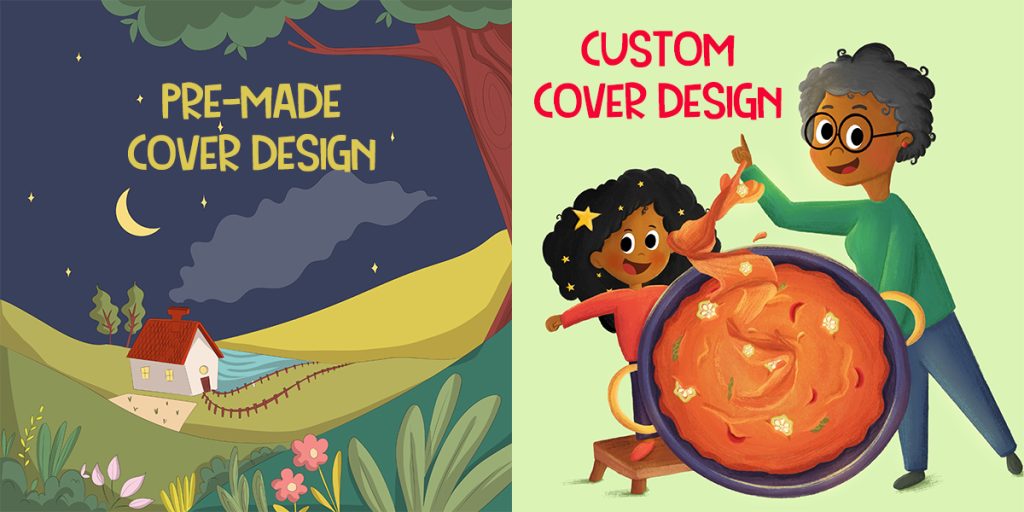
Looking at professional book cover designs can spark creativity. Agencies offering custom book cover design services often use:
- Bold title typography
- Clean layouts
- Simple visuals
Students can mimic the style using basic tools and minimal supplies. Observing real examples helps you think visually, even when you’re working on small school assignments.
Tell a Beautiful Story in 8 Simple Storyboard Frames
Final Thoughts
Creating a book cover for a school project doesn’t require advanced art skills or costly software; it simply needs creativity, clarity, and a thoughtful approach. A strong cover serves as the visual introduction to your hard work, helping your project stand out while clearly communicating its theme. By keeping your design clean, using readable fonts, selecting balanced color combinations, and focusing on one main idea, you can produce a professional-looking cover with ease.
Whether you choose to design your cover by hand with basic art supplies or use free digital tools like Canva and Google Slides, the most important part is staying true to your subject and keeping your layout simple. Avoid overcrowding the page, rely on neat text placement, and choose visuals that enhance rather than distract from your title. These small choices make a big difference in how polished your final result appears.
Most importantly, enjoy the process. Designing a cover is an opportunity to express your creativity while developing valuable presentation skills. Each sketch, color decision, and layout choice helps build your confidence in visual storytelling. With the simple ideas and techniques shared in this guide, you now have everything you need to create a book cover that reflects both your creativity and your dedication turning your school project into a presentation you can truly be proud of.