Storyboarding is one of the most essential steps in animation. Whether you dream of working at Pixar, Disney, or creating your own short film, learning how to storyboard effectively will help you bring your story to life. Professional storyboard artists at Pixar and Disney follow structured techniques to plan scenes, visualise ideas, and guide the animation team.
In this guide, you’ll learn pro storyboarding tips inspired by Pixar and Disney artists, explained in a simple and practical way for beginners. You’ll also find mini exercises throughout to help you practise and improve your storyboarding skills.
What Is Storyboarding and Why It Matters
A storyboard is a sequence of drawings showing how a story will unfold, shot by shot. It helps you plan:
- The flow of the narrative
- Camera angles and movement
- Character expressions and actions
- Key emotional beats
Studios like Pixar and Disney rely on storyboards to test ideas long before animation begins. This saves time, budget, and avoids re-animating scenes later.
Exercise 1: Quick Scene Sketch (5 minutes)
Pick a scene from your favourite animated movie. On paper, sketch 4–6 panels that show the beginning, middle and end of the scene. Focus on clarity, not perfection.
Also Read : Why Storyboarding Matters for Writers and Artists
Start with the Story Beats (Pixar’s Golden Rule)
Pixar artists begin by defining the core story beats—the key moments that move the story forward. Instead of drawing every scene immediately, they first outline the emotional journey.
Key Story Beats to Map:
- Opening: Who, where, and what is happening?
- Conflict: What goes wrong or changes?
- Turning Point: How does the character react or grow?
- Resolution: How does the moment end?
Pixar Tip: Every scene must have a purpose. If a scene doesn’t push the story forward, it’s removed.
Exercise 2: Story Beats Board
Write down 4 main beats for a short story idea (example: a cat trying to catch a butterfly).
Then sketch one panel per beat.
Also Read : From Sketch to Story: A Beginner’s Storyboarding Guide
Use Clear and Simple Visuals (Disney’s Readability Rule)
Disney storyboard artists prioritise readability. Even without dialogue, the viewer should understand what is happening.
How to Improve Readability:
- Use simple shapes for characters
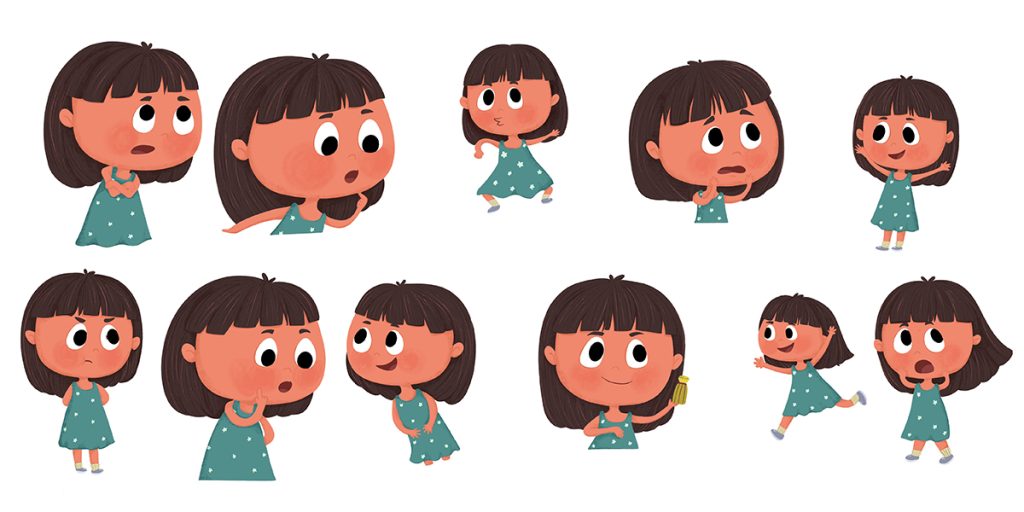
- Exaggerate expressions
- Use clear poses to show emotion
- Draw the action, not the pose before it
Disney artists often say:
“If a child can understand the panel without words, you’ve succeeded.”
Exercise 3: Silent Panels Practice
Create 3 panels that show a character becoming happy from sad without using any dialogue or text.
Also Read : Create Storyboards That Bring Story Ideas to Life
Use Strong Camera Angles for Impact
Great storyboard artists think like cinematographers. Camera choices affect mood, tension, and storytelling.
Essential Camera Angles to Use:
| Camera Angle | Effect |
|---|---|
| Close-up | Shows emotion and reactions |
| Wide shot | Shows setting and character placement |
| Low angle | Makes character look powerful |
| High angle | Makes character look small or weak |
| Dutch tilt | Adds tension, confusion, or chaos |
Pixar artists recommend using varied shot sizes to avoid visual monotony.
Exercise 4: Shot Variety Drill
Draw one moment using three different camera angles. Compare how the emotion changes in each version.
Also Read : Storyboarding 101: Build Better Children Stories
Show Character Emotion Through Poses
Animation relies heavily on performance. Storyboards must show the intent of the character, not just the action.
Disney Pose Principles:
- Use clear silhouettes so the pose is readable
- Ensure an emotional arc across panels
- Include expressive facial changes
Think of your character as an actor on stage pose is performance.
Exercise 5: Emotion Arc Strip
Draw 5 small panels showing a character going from confident → worried → frustrated → determined → relieved.
Also Read : How Storyboarding Improves Storytelling for Young Readers
Use Arrows and Notes to Clarify Movement
Professionals don’t redraw the same character repeatedly for movement. Instead, they use arrows, annotations, and mini-diagrams.
Use visual notes for:
- Camera movement (pan, tilt, zoom)
- Character movement (walk, jump, fall)
- Transition to next shot
Exercise 6: Annotated Action Panel
Draw one action panel (e.g., character throwing a ball). Add arrows and notes to show the motion clearly.
Also Read : Step-by-Step Guide to Creating a Storyboard for Your Story
Test Your Storyboard with the “Flipbook Test”
Pixar artists use a simple test:
- Flip through the panels quickly like a flipbook
- If the story is clear and emotional beats are understood, it works
If confusion appears at any point, revise the weak panel.
Exercise 7: Self-Review Checklist
Review your own storyboard and check:
Is every panel easy to understand?
Do camera angles change for variety?
Does each scene move the story forward?
Keep Panels Loose Not Perfect
Many beginners try to make storyboards detailed and polished. Pixar and Disney strongly advise keeping sketches loose in early stages.
Why?
- Faster to iterate
- Easier to throw away bad ideas
- Focus stays on story, not artwork
Professional storyboards are often messy at the start clarity beats beauty.
Exercise 8: 10-Minute Storyboard Sprint
Set a timer and sketch 8–10 quick panels of a short sequence. Don’t erase. Keep it fast and loose.
8. Learn Timing and Pacing
Pacing helps control the emotional rhythm. Disney uses panel spacing to show timing:
- More panels = slower, dramatic moment
- Fewer panels = fast, action moment
For example, a dramatic pause might need 3 silent close-ups, while a chase might be shown in 2 dynamic wide shots.
Exercise 9: Re-Pace a Scene
Take your earlier 6-panel exercise.
Create a fast-paced version and a slow, emotional version of the same scene.
Final Practice Task: Create a One-Page Storyboard
Combine everything you’ve learnt.
| Requirement | Details |
|---|---|
| Storyboard length | Create a 12–16 panel storyboard for a short 1-minute story |
| Camera angles | Use different camera angles throughout the storyboard |
| Character clarity | Show clear poses and facial expressions in each panel |
| Visual guidance | Use notes and arrows to explain actions and movement |
This is your first “mini-Pixar storyboard”.
Conclusion
Mastering storyboarding takes consistent practice, but by applying these Pixar- and Disney-inspired techniques, you can significantly improve your visual storytelling. Focus on clarity, emotions, and pacing rather than perfect drawings. Treat each storyboard as a learning opportunity, and over time, your skills will grow.
At The Rainbow Stories, we encourage creators to practice storytelling the way professionals do. With the exercises in this guide, you now have a structured way to practice like a professional storyboard artist. Keep sketching, keep experimenting, and bring your stories to life—one panel at a time.
Frequently Ask Questions
What are the basic steps in storyboarding?
Plan your story beats, sketch the key shots, refine camera angles, add expressions, and include notes for movement.
How do Disney and Pixar artists plan scenes?
They focus on emotional clarity, strong visual storytelling, varied shot composition, and rapid iteration before polishing.
How many panels should a beginner storyboard have?
Start with 8–16 panels for a short scene. As you improve, expand to 40+ panels for longer stories.
Is storyboarding necessary for animation?
Yes. Storyboarding saves time, ensures clarity, and prevents re-animation by planning the story visually first.
What skills do I need to become a storyboard artist?
Drawing ability, storytelling knowledge, camera awareness, character acting, and strong visual communication skills.